m'AI Suite PLATFORM FUNCTION
TouchlessINTENT-AWARE CONTACTLESS CONTROL
Keep familiar elevator operation while reducing contact and accidental activation.AI recognition and multiple sensors interpret user intent. Sensing rules are calibrated to the panel, passenger flow and actual operating habits.
CORE FUNCTION DEMO
Three safeguards for more natural contactless control
The demonstration advances every five seconds, or select a function directly.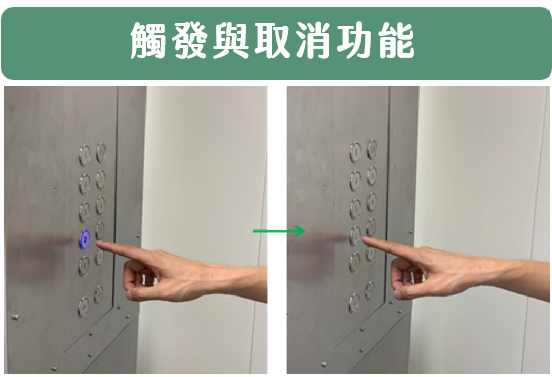
INSTALLATION & CALIBRATION
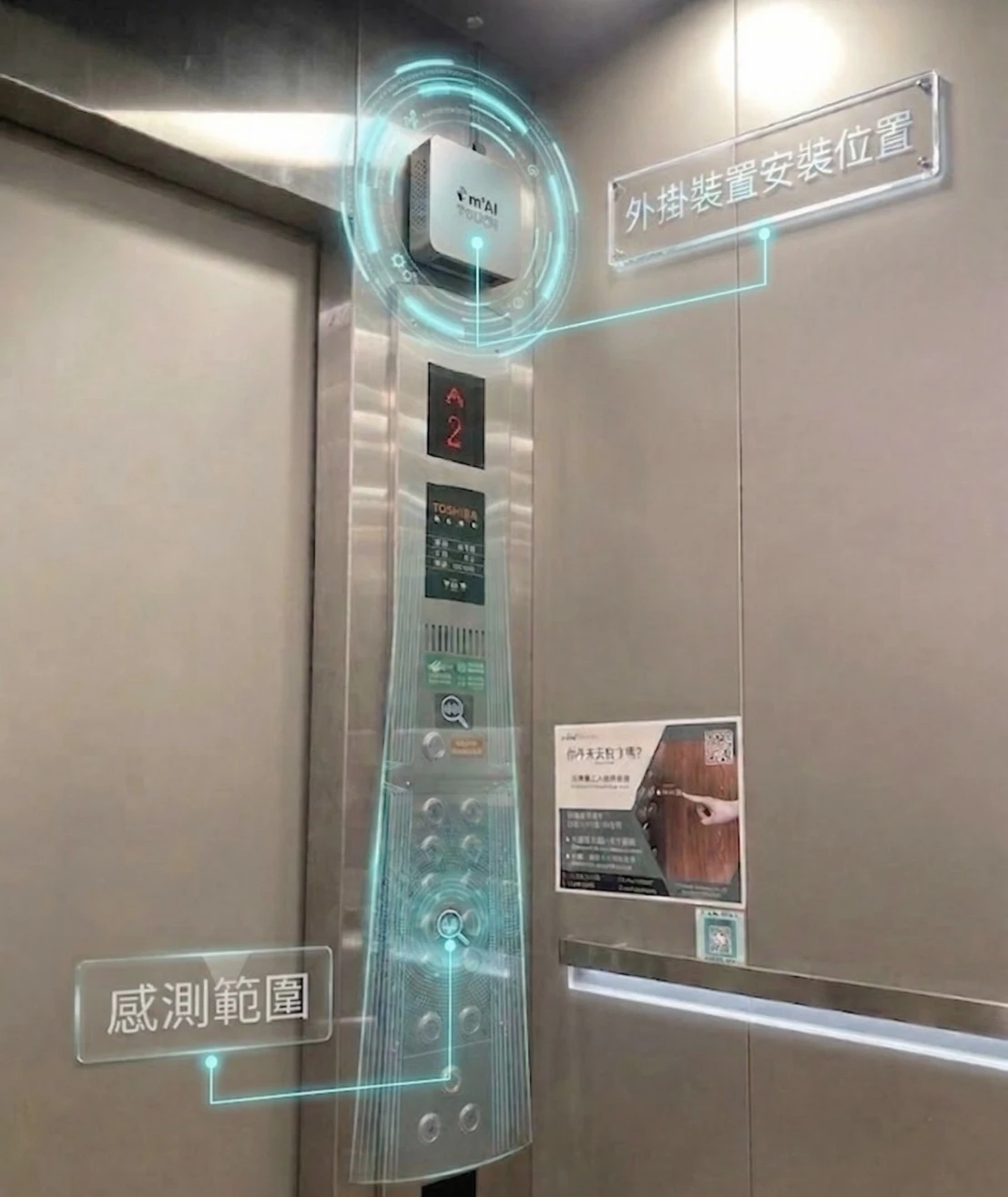
Installation position and sensing range
The device is installed above the car operating panel. Its sensing range is calibrated to the button layout, passenger flow and actual operating habits.- No replacement of the original panel
- Sensing distance configured for site conditions
- On-site testing and calibration after installation
HOW IT WORKS
Functional workflow
- 01
Confirm button positions and passenger flow
- 02
Configure sensing range and recognition rules
- 03
Connect to the existing elevator interface
- 04
Test, calibrate and commission on site
SUITABLE SITES
Where it fits
- Healthcare facilities
- Public buildings
- Commercial offices
Final functions depend on the elevator brand, control interface and site rules.
Book a complimentary site assessment →